Replacing Emailed Deposit Slips with a Payment Receipt Tracking Portal
How I replaced an email-based deposit slip process with a portal that gives customers a tracking ID and gives Accounts a dashboard to verify receipts against bank statements.
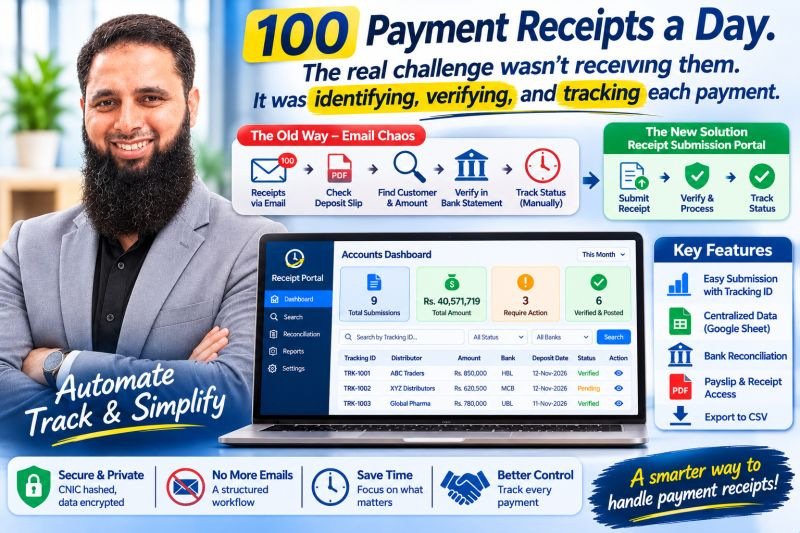
The visual I shared with the original LinkedIn post.
100 receipts a day, all in someone's inbox
A client's Accounts Receivable team was receiving customer deposit slips by email. For every one, someone had to open the email, work out which customer it was (often the customer never mentioned a name), check the amount and bank account, and then search the right bank statement to confirm the money had arrived.
Some slips were unclear. Checking several bank statements one by one made it slower still.
I asked the question I keep coming back to:
Why not replace this email-based process with a proper submission and tracking portal?
What the portal does
For the customer
- Enters the payment details and attaches the deposit slip.
- Receives a unique Tracking ID to follow the submission.
Behind the scenes
- Every submission lands in one central database (Google Sheets).
- The relevant departments get email notifications.
- Accounts gets a dashboard to view, filter, verify and manage receipts.
- Bank statements are available for reconciliation, with a matching percentage and the matched transaction details.
- Attachments can be opened from the dashboard, and records exported to CSV.
The dashboard also gives a quick overview: total submissions, total amounts, pending receipts and verified or posted receipts.
What really changed
The improvement was not just swapping emails for a form. It was bringing the whole payment receipt process into one place, from submission to verification to tracking.
Lessons
- Find where people actually lose time. Here it was identifying the customer and hunting through statements.
- Give outsiders a way to check status themselves. A tracking ID removes a surprising number of follow-up emails.
- Keep it simple. Google Sheets as the database plus a dashboard was enough, with no large system needed.
- Keep a human in the loop for unclear slips and exceptions.
I first shared this on LinkedIn. If you have a similar problem in your own team, connect with me on LinkedIn and let's talk.
Enjoyed this post?
Follow my journey from finance ledgers to one-click automation.